

Ergonomic Seating Guide (UK): Chair Mechanisms and Comfort Features Explained
- 11/03/2026
- 0 Comment(s)
When you’re spending 8 hours or more at your desk, your office chair needs to work as hard as you do! Our guide, ‘Chair Mechanisms and Comfort Features Explained’, breaks down the most common types of ergonomic seating mechanisms and features for chairs to help you maintain good posture and stay comfortable throughout the day.
Office chairs are one of the most-used pieces of furniture in any workplace, so finding a chair that suits your entire team’s needs isn’t always easy. A high-quality chair should support your posture and incorporate ergonomic mechanisms with supportive features such as lumbar and pelvic support, adjustable height, smooth castors or glides, and comfortable armrests.
By choosing the right office seating, you can boost productivity, improve performance, and minimise the risk of back discomfort, making long hours at your desk healthier and more comfortable for everyone.
A Simple Guide to Office Chair Mechanisms & Features
This guide breaks down the different mechanisms found in most operator and task chairs. Understanding how these features work can help you enjoy extra comfort, greater flexibility and ensure your chair meets essential ergonomic requirements.
The adjustable chair mechanisms we will cover include:
- Independent Mechanism
- Synchro Mechanism
- Permanent or Fixed Contact Back
- Lock Tilt
- Knee Tilt
- Ratchet Back
- Handwheel Back
- Seat Slide
Independent Mechanism
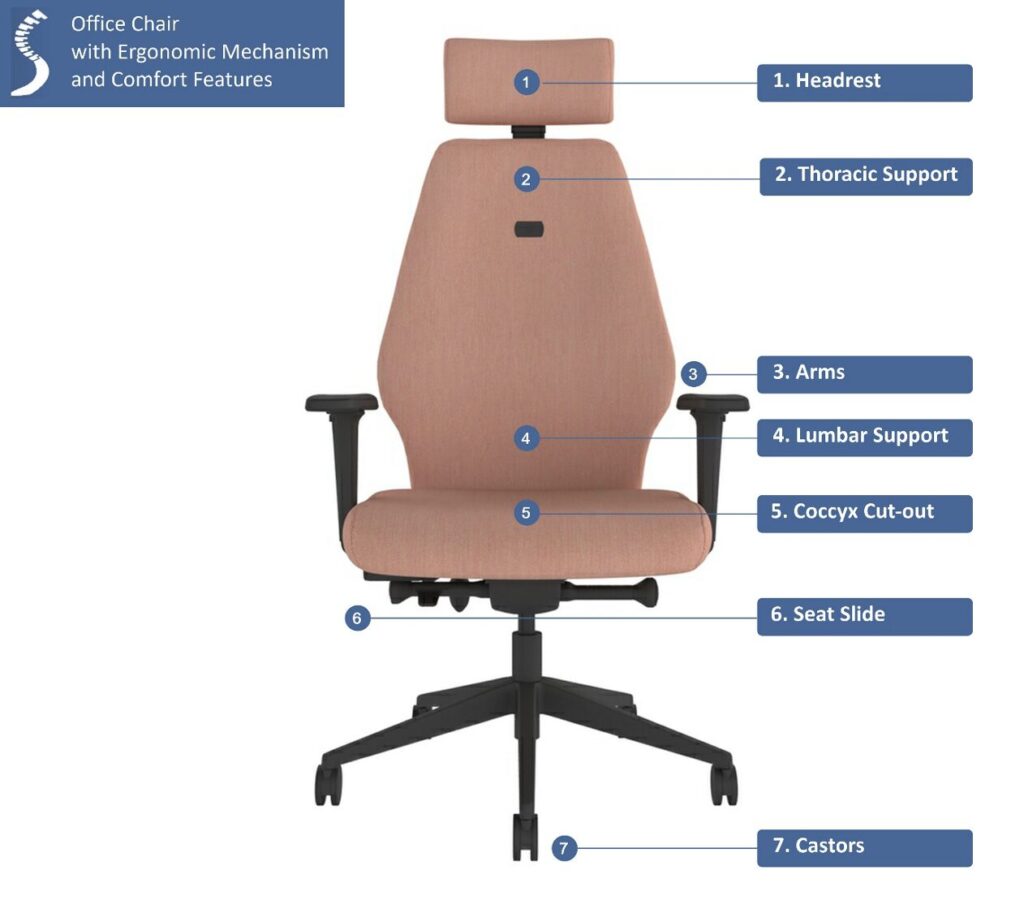
An independent mechanism gives you full control over your office chair by letting you adjust the seat and backrest separately. When you have this flexibility, it means you can find the perfect angle precisely for your posture, keeping your spine supported while reducing pressure on your hips and legs.

Key Features:
- Customised ergonomic fit.
- Separate seat and back adjustment.
- Ideal for users who require adjustable seating that can be personalised to suit the ergonomic need or task
Synchro Mechanism
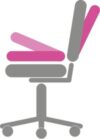
With a synchro mechanism, the backrest and seat move together in a coordinated tilt. As the back reclines, the seat slightly tilts forward, supporting your thighs and keeping your spine aligned. Having synchronised adjustability will encourage natural movement and helps to maintain ergonomic posture. The mechanism is usually actioned by a torsion control knob found under the seat.
Key Features:
- Coordinated backrest and seat movement for ergonomic support.
- Encourages natural movement.
- Suitable for users who spend long hours seated and want good posture support.
Permanent or Fixed Contact Back
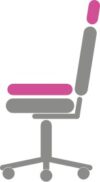
A permanent or fixed contact back keeps your back in constant contact with the chair. If you find yourself leaning forward, this mechanism will help maintain correct posture throughout the day and reduce strain on the back.
Key Features:
- The back can free-float or lock into position.
- Adjustable back angle.
- Perfect for basic posture for users who prefer consistent spinal support.
Lock Tilt
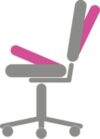
The lock tilt mechanism lets you lock your chair in a preferred reclined or upright position. Whether you’re focusing on detailed work or chatting to a colleague, locking the tilt ensures your spine stays supported while allowing you to adjust your posture as needed.
Key Features:
- Seat tilts and locks into position.
- Flexible adjustment.
- Good for casual or general office desk users.
Knee Tilt
The knee tilt is an effective mechanism that pivots the chair from the knee rather than the hips, allowing a deeper recline without lifting your feet off the floor. This feature reduces pressure on the lower back and encourages a natural, relaxed seating position that is perfect for long workdays. The knee tilt is normally actioned with a torsion control knob found in easy reach under the seat.

Key Features:
- The seat will tilt and lock.
- Ergonomically adjustable to reduce lower back strain.
- Great for casual users or long hours at a desk.
Ratchet Back
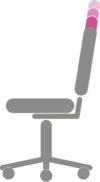
With a ratchet back mechanism, you can adjust the vertical height of the backrest in small, precise steps. This feature is independent of all other chair functions, ensuring your lumbar and thoracic support is right for you.
Key Features:
- Independent back height adjustment.
- Precise positioning adjustability.
- Ideal for all heights (tall, short, and petite), multi-user environments, and for additional back support.
Handwheel Back
A handwheel back allows smooth and easy adjustment of the backrest tension or height, often with a simple twist. This feature is great for fine-tuning your chair for ergonomic comfort, ensuring your spine and shoulders are fully supported.
Key Features:
- Personalised backrest adjustment.
- Handwheel provides smooth, controlled positioning.
- Suitable for multi-user environments and for precise back support.
Seat Slide
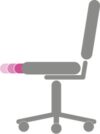
A seat slide mechanism allows you to independently adjust the depth of the seat to fit your legs perfectly. Supporting your thighs without pressing on the back of your knees, it improves circulation and overall comfort, especially during long hours at your desk.
Key Features:
- Independent seat depth flexibility.
- Easily adjustable.
- Perfect for shared workspaces and users who are tall or short.
Additional Comfort Accessories
Many chairs include comfort features that enhance support, designed to compliment the mechanisms and provide targeted relief where you need it most. Let’s take a closer look at head and neck rests, coccyx cut-outs, castors, glides, adjustable arms, lumbar, and thoracic supports.
Headrest
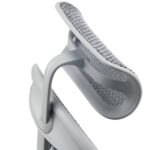
A headrest provides support for your head and neck, particularly when reclining. Using a headrest will help reduce strain on your cervical spine, help prevent tension, and promote better posture throughout the working day.
Key Features:
- Supports the head and upper neck to reduce strain.
- Can be adjustable in height and angle.
- Ideal for users who recline often or spend long hours at their desk.
Neck Rest
The neck rest offers targeted support for the cervical region, keeping your head aligned with your spine. This helps reduce stiffness in the neck and shoulders, making extended periods of desk work much more comfortable.

Key Features:
- Provides targeted support for the neck and spine.
- Can be adjustable in height and angle.
- Great for users who spend long hours seated or experience neck and shoulder strain.
Coccyx Cutout
A coccyx cutout in the seat cushion relieves pressure on the tailbone, helping prevent discomfort in the lower back and pelvis. When a coccyx cutout is paired with good lumbar support, it encourages healthy posture and keeps you comfortable even during long sitting sessions.
Key Features:
- Relieves pressure on the tailbone for enhanced comfort.
- Perfect for users who sit for extended periods or have lower back discomfort.
Castors & Glides
Most office task and operator chairs come with a stable 5-star base, with swivel-wheels attached. This enables the user to be mobile around the workstation or collaboration tables. Some castors are designed with safety mechanisms that lock the wheel, or a brake that is applied when sitting.
Castor wheels can vary in size ranging, from 50mm to 75mm. Generally, the most common type of wheel supplied is hard nylon wheels, which are most suited for soft surfaces like carpet. While soft wheels made from soft rubber or polyurethane-coated are used to protect hard floors from scratches.
The alternative to castors is glides. Office chair glides provide stability and reduced movement and are typically used on draughtsman or meeting room chairs.
Arms
The arms on a chair can provide invaluable ergonomic support, helping to reduce shoulder, neck, and upper back strain. Choosing the right type of arm can make all the difference in comfort and the correct posture, especially during long hours at a desk.
The styles of arms vary for different chair ranges and manufactures, here’s a summary of the most popular choices:
1: Fixed Arms – Sturdy arms set in one position, ideal for basic office chairs.
2: Height Adjustable Arms – Can be raised or lowered to match desk height, supporting arm, and shoulder alignment.
3: Fold Away Arms – Can be folded out of the way to give more freedom of movement.
4: Multifunctional Arms – Combines various adjustments, including height, width, angle, and pivot.
Lumbar Support
Inflatable lumbar support and lumbar support backrests are designed to fill the gap between the lumbar spine and the seat, providing support for the natural ‘S’ shape of the spine. The lumbar also helps to prevent slumping, which in turn improves posture and can help prevent back pain.
Key Features:
- Supports the lower spine’s natural curve.
- Adjustable to help reduce strain and fatigue.
- Ergonomic support for users spending lengthy periods seated, or for extra lower back support.
Thoracic Support
Thoracic support is normally inflatable or tension-adjustable that increases the contact area of the upper spine by filling the space between the shoulder blades. This helps to prevent slouching and reduce discomfort in the upper body (shoulder and neck area).
Key Features:
- Designed to support the middle section of the spine during long-hours of sitting in one position.
- Helps align the back of the chair to your own back shape.
- Suitable for users looking to maintain good posture throughout the day.
How Office Chair Mechanisms and Comfort Features Improve Posture and Flexibility
The mechanisms in your chair allow you to fine-tune posture and maintain good spinal alignment throughout the day. The comfort features target the areas of strain, reducing fatigue and discomfort.
Together, they help ensure healthy ergonomic posture.
With more hours being spent at the desk, whether that’s at home or in an office environment, it’s important you invest in the right ergonomic chair that provides the right support for you.
We hope this blog has helped you to understand how ergonomic chair mechanisms work and the benefits of comfort features.
Find your perfect Ergonomic Chair
If you’d like to discuss your own ergonomic needs or would like us to recommend a chair that fits your posture needs and working style, please get in touch – we’d be happy to help and make suggestions.
Alternatively, you can use our online Ergo Find my Chair tool. Simply complete a few quick questions, and you’ll receive our recommendations at the click of a button
